Finding WordStar Files With No Extension (DOS 8.3 and ALLCAPS.WS)
If you only search for *.ws, you will miss half the estate.
TL;DR
WordStar allowed arbitrary extensions; `.ws` was conventional, not mandatory. Expect 8.3 names, ALLCAPS.WS, extensionless files, and `.BAK` backups. Sniff for wrap flags and dot commands, then batch-convert with WordStar Converter.
Extensions were optional
WordStar’s own manuals told users to pick extensions that helped them remember contents — `.LET`, `.REP`, a date stamp — and to avoid `.BAK` because the program used that for backups. The Library of Congress format note repeats the same point: there is no single official extension.
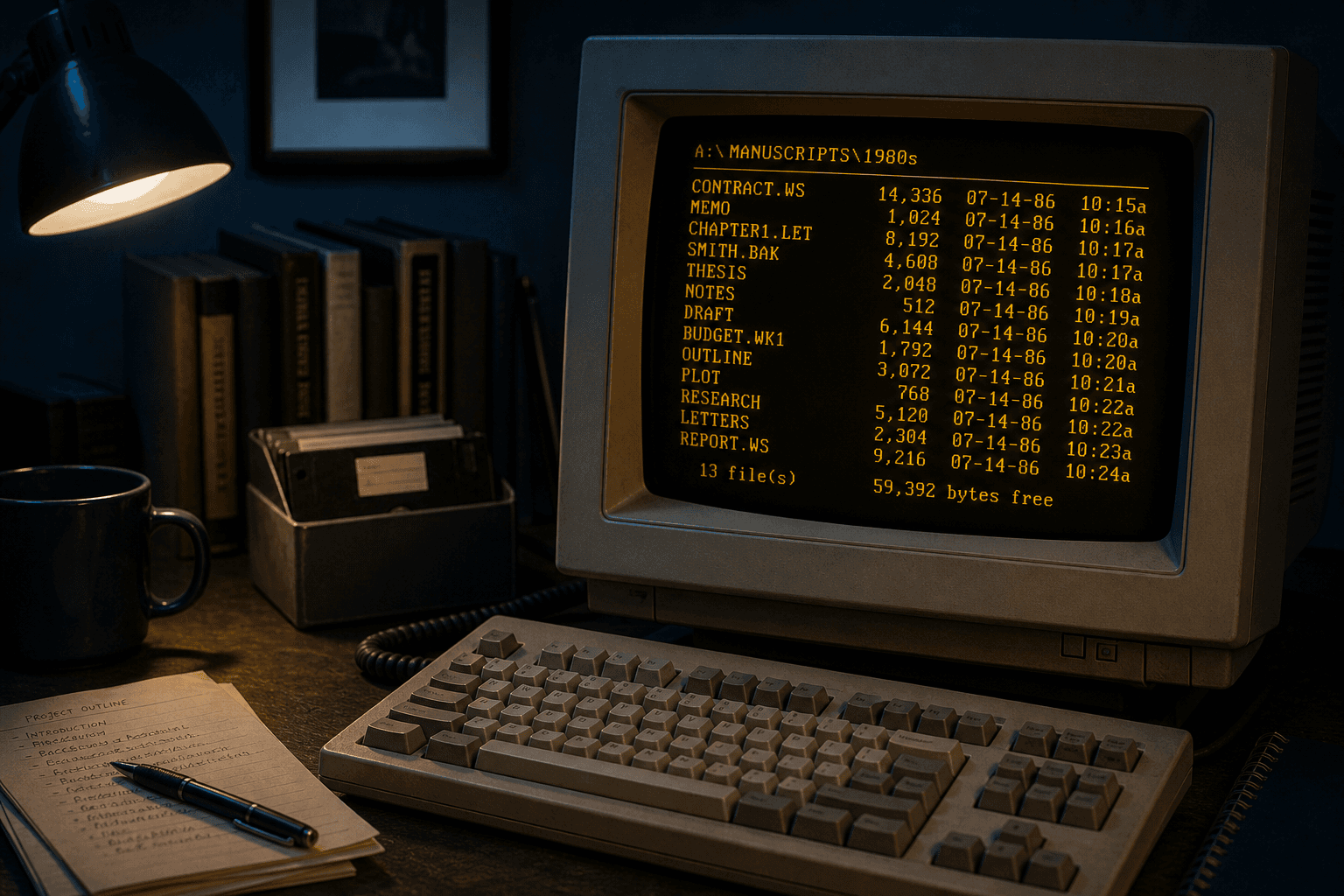
Migration scripts that only glob `*.ws` silently drop `MEMO`, `CHAPTER1.LET`, and `SMITH.BAK`.
What DOS 8.3 archives look like
- Uppercase names: `CONTRACT.WS`, `INV1987.WS7`.
- Versioned extensions: `.ws5`, `.ws6`, `.ws7`, sometimes `.wsd` from Windows-era WordStar.
- No extension: `LETTER`, `NOTES1` sitting beside `LETTER.BAK`.
- Floppy image extractions that preserved short names but lost folder captions.
Sniffing without trusting the name
Open candidates in a hex editor or Notepad. Classic WordStar often shows printable ASCII mixed with high-bit bytes, print controls in `00h–1Fh`, lines beginning with `.`, and a `1Ah` end marker. Release 5+ files may include symmetrical sequences introduced with `1Dh`.
PRONOM signatures for later MS-DOS versions document leading patterns such as `1D 7D` plus version bytes — useful when you have DROID, not required for a practical Windows conversion pass.
Convert the whole tree
Copy the archive to a working folder. Point WordStar Converter at the root with recursive scan so extensionless and versioned names are included. Sample a hard file to DOCX and PDF, then batch. Trial 10 files; Standard $39.95.
Convert your files
Related reading
Scan the archive on this PC
Trial 10 files. Standard $39.95 one-time.
Free trial
Full app features — up to 10 files
Windows 10 or 11
Download the Windows installer for the full 10-file trial. Same app you unlock with a license — 100% local on your PC.